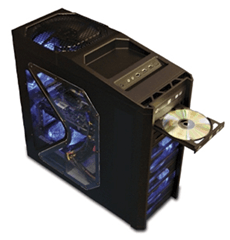
1. Motherboard
2. CPU Processor
3. RAM Memory
4. Graphics (Video) Card
5. CD/DVD/Blu-ray Drive
6. Hard Drive
7. Case
8. Power Supply
9. Monitor (optional)
10.Keyboard and Mouse (optional)
*Monitor and Keyboard and Mouse are optional because you may already have a monitor/keyboard/mouse that can be used with your computer build.*
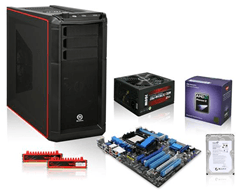
Now that you have a parts list of everything required to build a computer, you can start choosing each specific part. Remember, everything needs to be compatible, so it’s often wise to pick out parts for your build in a certain order.
Although not everyone does it like this, choosing your CPU first is the best way to assure that you are buying correct parts. For the most part, your CPU and motherboard will be specific to a certain vendor, meaning Intel or AMD. Start there.
CPU Processor
The first part that you need to purchase, when building your own computer, is the CPU processor. There are actually several companies that manufacture computer processors, but Intel and AMD are the most common.
Thus, you will first need to decide if you want to go with an Intel or AMD CPU. Both companies make quality processors, and both companies have their strengths and weaknesses.
- Intel is a leading CPU processor manufacturer that always seems to be on the cutting edge of technology. They are consistently adding new features and tech to their CPU processors, and constantly setting trends and raising the bar in processor evolution. Intel’s current and most popular CPU lineup consists of the Core i3, Core i5, and Core i7 range.
- AMD is a leading CPU processor manufacturer and is widely known as being Intel’s main competitor. For the most part, AMD processors stay well up to date and current, meaning that they offer good competition to Intel in terms of selection and technology.
Many PC hardware gurus and tech experts have given Intel the edge in CPU innovation and speed. However, AMD does offer one very attractive, distinct advantage…price.
Not only are AMD processors cheaper than their Intel counterparts, but AMD motherboards as well. AMD’s current and most popular CPU lineup consists of the Athlon and Phenom series II processors.
Often times, Intel processors offer top notch performance and the latest technology. However, their processors and motherboards are noticeably more expensive than AMD counterparts.
Often times, AMD processors offer good performance at a much more affordable price. Choosing AMD can save you money on buying a CPU and motherboard. However, you may be losing a bit of speed and technology.
Both manufacturers have received countless positive reviews for their products, which you can read more about at sites like Newegg and Tiger Direct.
- More cores is more capable. Meaning, a Dual Core CPU is better than a Single Core CPU, and a Quad Core CPU is better than a Dual Core CPU… mainly when multi tasking and running multiple programs at once.
- Consider Hyper Threading technology (Intel) or Hyper Transport technology (AMD). These two features allow a CPU to run more processes at once. For example, a Dual Core CPU can run two processes at once, one per core. However, a Dual Core Hyper Threading CPU can run four processes at once, two per core.
- Clock speed, for example 2.4GHz, refers to the frequency and speed at which a CPU processor operates. Clock speed used to be the primary way of determining the speed of a CPU, but new technology such as multiple cores and Hyper Threading/Hyper Transport now reduce the importance of clock speed. You won’t be able to tell much of a different between a CPU that is 2.2GHz Single Core and a CPU that is 2.4GHz Single Core. However, you may be able to notice a difference between a CPU that is 2.2GHz Single Core and a CPU that is 3.06GHz Single Core. If you have ever been curious as to what over clocking is, it’s simply raising the clock speed.
- 64-bit support in a CPU simply means that the CPU can support a 64-bit operating system. Really meaning, 64-bit can support more RAM memory. The alternative, 32-bit, is more limited in RAM memory support, usually set at max 4GB.
- nm (nanometer) technology, often times referred to as 45nm or 32nm, mainly deals with how much energy and power a CPU processor uses.
- Cache, (L2, L3) refers to the amount of temporary storage a CPU has. For example, a CPU that has 6MB of Cache will have the capability to store 6MB of data for instant, quick usage.

No comments:
Post a Comment